The Best AI for Process Mapping – AI Hack 3

Wondering how to use AI for Process Mapping?
Now is the time to boost your productivity and harness AI for Process Mapping!
Over the next 12 weeks we will give you the short cut and quick facts to get started with AI.
Discover 10 applications of AI that you can apply to 10x your productivity in business analysis, project management and change management.
Avoid the overwhelm, get focused, and start your AI journey today..
Week 3 – You no longer need to spend hours building flowcharts after your BA workshops.
You no longer need to spend hours building flowcharts after your BA workshops. With AI tools, you can clean up flowcharts you created manually, or create them from scratch within minutes by uploading a spreadsheet of documented requirements.
You can also connect flowcharts to documents, people, user requirements, or statements of work (SOWs), depending on what you need.
You will want to create customised presentation decks for deliverables across your BA, agile delivery, and change activities.
Use AI for Process Mapping in:
- Business Analysis Workshops
- User Testing Workshops
- Training Workshops
Where AI comes in
- Quickly clean up flowcharts you have created manually.
- Upload documented requirements and auto-generate flowcharts.
- Upload videos and auto-generate flowcharts.
- Link flowcharts to AI-generated SOWs and training material.
- Link flowcharts to AI-generated user stories.
Find out more
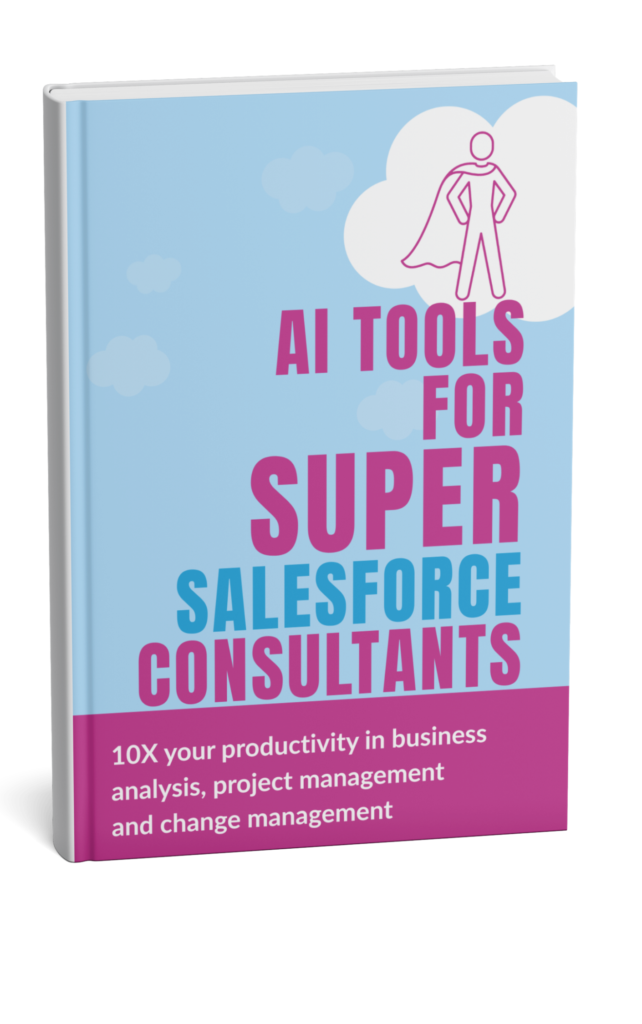
Download our free book ‘AI Tools for Salesforce Consultants’ that talks about the 10 applications of AI that can support you with business analysis, project management and change management.
Potential Time Saving when using AI for Process Mapping
Assumptions: 1–2 workshops/week, typical internal stakeholder load, and standard weekly delivery outputs (notes, actions, requirements, comms).
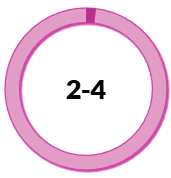 Hours per week Cleaning up workshop flowcharts | 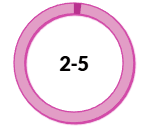 Hours per week Creating flows from documented requirements |  Hours per week Linking flow outputs to docs and user stories |
10x productivity example: First-pass process map
Old State: 2 hours drawing a flow chart → | New State: 12 minutes to auto-generate |
Some of our favourite AI for Process Mapping
| LUCIDCHART https://www.lucidchart.com Diagramming platform for flowcharts and process maps with strong collaboration. Great for BA workshop outputs, current/future state mapping, and stakeholder reviews. Helpful for iterating quickly with comments and real-time co-authoring. | ELEMENTS.CLOUD https://elements.cloud Salesforce change intelligence platform supporting user requirements, documentation, and change impact analysis. Helps teams understand what’s in an org and manage change with more structure and less risk. Strong fit when process maps and documentation need to stay aligned to the technical Salesforce work and team rather than end users. | TRAINUAL https://trainual.com The specialist training and knowledge platform for documenting and standardising flowcharts, SOPs, and playbooks for training end users. Useful for relating training resources directly to points in the flowchart. Flowcharts are currently not built using AI, but related documentation and training content is curated and searchable using AI so it’s a good full-end solution. Helps scale onboarding and enablement with consistent “ways of working.” |


Choosing the right AI for Process Mapping
The tools listed are examples we’ve explored during our research and are not formal recommendations. Choosing the right AI tool requires careful evaluation based on your specific business needs and context.
The AI landscape is rapidly evolving, with new products emerging and existing ones constantly updating their capabilities. We strongly encourage you to conduct your own thorough research and assessment before selecting any tool for yourself or your clients.
Within our AI Tools for Salesforce Projects Course and the Supermums Consultancy Skills Course we do a deeper dive into how to choose the right AI product. We include:
- Practical demonstrations of products and how to apply it in practice
- Common mistakes and what to avoid
- Best prompts for getting the most out of the tools
- Guidance on choosing the best products
- As well as a practical approach to managing governance and security



Recent Posts






Subscribe To Our Weekly Top Tip Bulletin
Get Updates And Learn From The Best