The Best AI Tools for Presentations – AI Hack 5

Wondering how to use AI for Presentations?
Now is the time to boost your productivity and harness AI for Presentations!
Over the next 12 weeks we will give you the short cut and quick facts to get started with AI.
Discover 10 applications of AI that you can apply to 10x your productivity in business analysis, project management and change management.
Avoid the overwhelm, get focused, and start your AI journey today..
Week 5 – You don’t need to spend hours writing and crafting presentation decks with AI
You don’t need to spend hours writing and crafting presentation decks for workshops and training anymore. With AI tools, you can curate tailored content into a presentation within minutes, rebrand decks using theme templates, and pre-record and narrate the presentation using audio or avatars in less than an hour. This can save a huge amount of time and money on editing and curation.
You will want to create customised presentation decks for deliverables across your BA, agile delivery, and change activities.
Use AI for Presentations:
- Scoping workshops
- Preparation workshops for BA design
- Business analysis workshops
- User testing workshops
- Training workshops
- Design playbacks and stakeholder updates
- Sprint reviews and show-and-tells
- Change impact and communications packs
Where AI comes in
- Create curated, branded, customised presentations in minutes from prompts, Word documents, presentations, PDFs, and meeting notes.
- Auto-create speaker scripts from your slides.
- Translate your presentation into multiple languages for global projects.
- Turn your presentation into a video with an audio narration to explain concepts in more detail.
- Turn your presentation into a video with an avatar, using an existing avatar and voiceover.
- Create your own personal avatar to present these videos so you don’t have to do them live.
Find out more
Download our free book ‘AI Tools for Salesforce Consultants’ that talks about the 10 applications of AI that can support you with business analysis, project management and change management.
Potential Time Saving when using AI for Presentations
Assumptions: 1–2 workshops/week plus ongoing stakeholder updates, with at least one deck iteration needed each week.
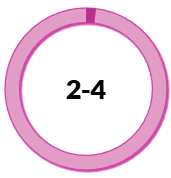 Hours per week First-draft deck creation (fewer blank-page builds) |  Hours per week Speaker notes and scripting |  Hours per week Repurposing and translation |
10x productivity example: Workshop deck first draft
Old State: 2 hours building a workshop deck manually → | New State: 12 minutes to generate outline + slide copy, then edit |
Some of our favourite AI for Presentations
| GAMMA https://gamma.app AI-powered design tool to generate and refine presentations and other communication material quickly with strong design customisation and defaults. Helps turn prompts or source content into a polished deck faster than manual slide creation. Useful for workshop decks, sprint reviews, and stakeholder updates. | HEYGEN https://heygen.com AI video generation platform for creating presenter-style videos from scripts, audio, or prompts. Known for lifelike avatars and the option to create a personal “digital twin” presenter. Useful for turning training and workshop content into short narrated videos without filming. | SLIDENARRATOR https://slidenarrator.com Converts PowerPoint slides into AI-written scripts and studio-style voiceover. Exports narrated slide videos (MP4) and provides downloadable scripts/audio. Useful for quickly narrating decks for asynchronous training or comms. |



Choosing the right AI for Presentations
The tools listed are examples we’ve explored during our research and are not formal recommendations. Choosing the right AI tool requires careful evaluation based on your specific business needs and context.
The AI landscape is rapidly evolving, with new products emerging and existing ones constantly updating their capabilities. We strongly encourage you to conduct your own thorough research and assessment before selecting any tool for yourself or your clients.
Within our AI Tools for Salesforce Projects Course and the Supermums Consultancy Skills Course we do a deeper dive into how to choose the right AI product. We include:
- Practical demonstrations of products and how to apply it in practice
- Common mistakes and what to avoid
- Best prompts for getting the most out of the tools
- Guidance on choosing the best products
- As well as a practical approach to managing governance and security
Take the next steps to learn more..
Within our AI Tools for Salesforce Projects Course and the Supermums Consultancy Skills Course we do a deeper dive into how to choose the right AI product. We include:
- Practical demonstrations of products and how to apply it in practice
- Common mistakes and what to avoid
- Best prompts for getting the most out of the tools
- Guidance on choosing the best products
- As well as a practical approach to managing governance and security
Our Consultancy Skills Course, includes practical hands on learning as well as training in business analysis, agile project management and change management.

Recent Posts



Subscribe To Our Weekly Top Tip Bulletin
Get Updates And Learn From The Best