AI Recipe: Get 10 Hours a Week Back on Case Handling with Ortoo

Are you drowning in cases that you can’t categorise or triage easily?

So many service teams I work with are. Customers email, send messages and comment on social media, and every one of those turns into a case that someone has to read, sort and type up by hand.
This week’s AI recipe takes case handling from manual sorting to cases that arrive clean, complete and in the right queue, using Ortoo and a simple idea called agent orchestration.
What can go wrong!
- Cases with no intel. A case is created from an email or a social post, but the category, product, priority and sometimes even the right contact are missing.
- Manual data input. Someone has to read every message and type the details into the case fields by hand.
- Poor data integrity. Different people fill the fields in differently, or not at all, so the same problem is recorded five different ways.
- Poor triaging. Urgent cases wait in the same queue as simple questions, and SLAs are missed.
- Poor analysis. When you try to report on what customers really need, the data can’t tell you, because it was never captured properly.
How to get it right!
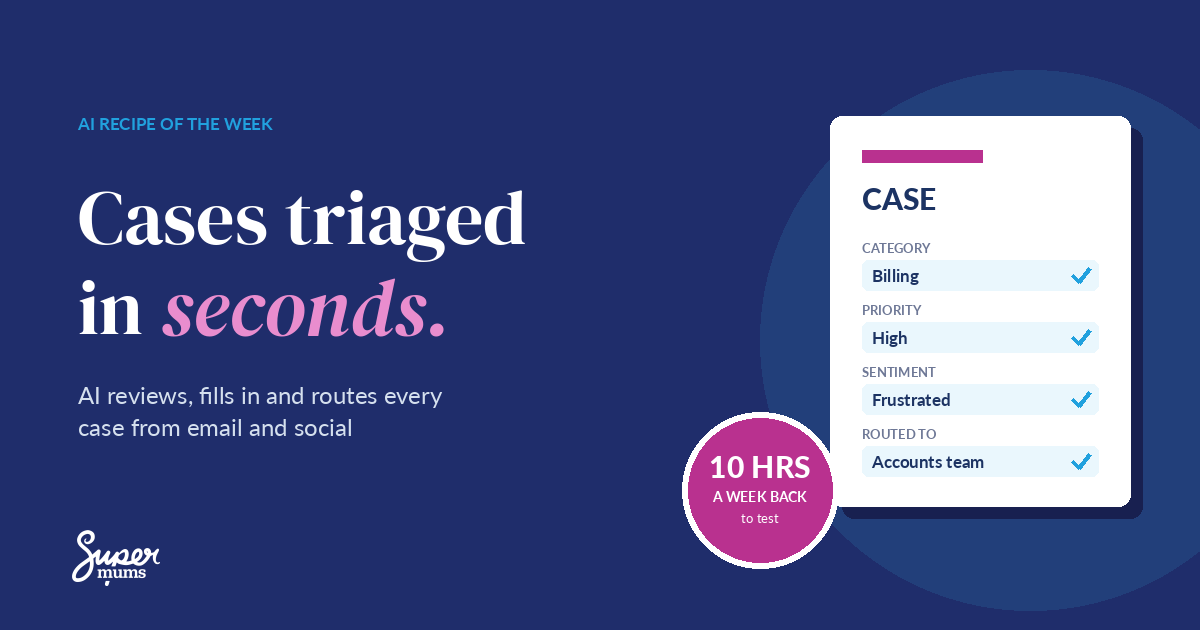
Let Ortoo do the reading and sorting. As each case arrives, Ortoo reviews the information, populates the case fields and triages the case based on what it finds: category, priority, sentiment and who it should go to. Your team starts every case with a clean, enriched record in the right queue.
This is agent orchestration in action. Instead of one person doing every step, AI agents each do one job (reading, enriching, prioritising, routing) and hand over to the next, with your rules in charge. Managers adjust those rules with point-and-click settings, so you don’t need a developer every time something changes.

The recipe: AI case triage with agent orchestration
Ingredients
| Ingredient | What it does |
|---|---|
| Salesforce Service Cloud | Creates cases from email and your social channels, and holds your case fields, queues and SLAs. One source of truth. |
| Ortoo Case Orchestrator | AI-driven and native to Salesforce. Enriches, categorises and prioritises each case, analyses sentiment, then routes and assigns it, with SLA monitoring and escalation. |
| Clear case fields and rules | The categories, priorities and routing rules your admin owns, so the AI fills in the fields you actually report on. |
Method
- Audit your case data. Pull 20 recent cases and note which fields were blank, wrong or filled in by hand.
- Agree your fields and categories. Decide the categories, products and priority levels you want on every case, and tidy any duplicates.
- Connect your channels. Make sure email and social messages create cases in Service Cloud, so everything comes through one door.
- Set up Ortoo. Let it review each new case, populate your agreed fields and set the priority and sentiment.
- Add your routing rules. Decide which queue or person each type of case goes to, and when it should escalate.
- Keep a person in the loop. For the first few weeks, have a team lead check a sample of cases each day and correct anything the AI got wrong.
Prep time: a few days to agree fields and set up rules. Cook time for each case: seconds.
Use my AI Powered Business Formula™ to make it stick
1 – Purpose. Be clear on why you’re doing this: faster responses, cleaner data and reports you can trust. Pick one KPI, such as minutes per case or the share of cases with every field complete.
2 – Systems. Salesforce is your single source of truth. Ortoo works inside it, so case data never lives in inboxes or spreadsheets.
3 – Adoption. Show your team the before and after. Name an owner (usually your service manager or admin) and agree how the team flags a case the AI got wrong.
4 – Management. Review the numbers monthly. Check accuracy, time saved and SLA performance, then decide which channels or teams to roll it out to next.
Work out your ROI
The gain to test: 10 hours a week back. In a pilot scenario, a team handling 200 cases a week could save 3 minutes on reading, typing and sorting each one.
| Your numbers | |
|---|---|
| Cases a week | 200 |
| Minutes saved per case | 3 |
| Time back each week | 200 × 3 minutes = 10 hours |
| Time back each year | about 480 hours |
Swap in your own numbers. Record a 30-day baseline first, then pilot for 4 to 8 weeks, including the time it takes to check and correct the AI’s work. This is an illustrative calculation to test, not a promised result.
Keep it secure
Cases carry personal data and sometimes sensitive customer details. Keep everything inside Salesforce, with the right people seeing the right records. Make sure the AI only works from the case information and approved settings, and keep a person checking its work while you build trust in it.
Learn it with us: Advanced Admin Practitioner training day, 18 November
Want to build recipes like this yourself? In November we’re holding a half-day virtual Advanced Admin Practitioner training day on Wednesday 18 November. You’ll get an introduction to agent orchestration, data migration techniques and the AI tools for Salesforce Admins that save hours every week.
Going further with service? Our on-demand Service Cloud Consultant Course covers case management, assignment rules and escalation, and our free Data Protection Principles and Data Back Up course helps you keep that data safe.
Reflective Exercise
Grab a notebook and write down some thoughts on the questions below.
- How many cases does your team handle each week, and how long does each one take to read, update and route?
- Which case fields are most often blank or inconsistent?
- What would your team do with an extra 10 hours a week?
- How equipped and confident are you with AI and agent orchestration in Salesforce?
At the end of this recipe, I hope you have a clear picture of how AI case triage could free up your service team, and the confidence to test it for yourself.
Two ways to take the next step
1. Let us help you. Book a free AI Power Hour and we’ll map where AI case triage would save your team the most time.
2. Do it yourself. Join our Advanced Admin Practitioner training day on 18 November, or build your skills with our free Power Up your Business with AI Bootcamp and the Supermums Business AI Academy.
Get a new AI recipe every Monday: sign up to the Power Up with AI Bulletin and save 5% on our training courses.
Recent Posts




Subscribe To Our Weekly Top Tip Bulletin
Get Updates And Learn From The Best